
The West Bengal OPD online booking system allows patients to schedule appointments at government hospitals through the official health department portal. Using the website wbhealth.gov.in, patients can access the OPD booking platform available at onlinehmis.wbhealth.gov.in to register and book hospital appointments.
While the system works smoothly for most users, some patients occasionally face issues when trying to book an OPD ticket online. Problems such as the website not loading, OTP verification failure, session errors, or appointment slots not appearing can make the booking process confusing.
If your WB Health OPD booking is not working, there are several simple solutions that can help resolve the issue quickly. This guide explains the most common reasons why the portal may not work and how you can fix them easily.
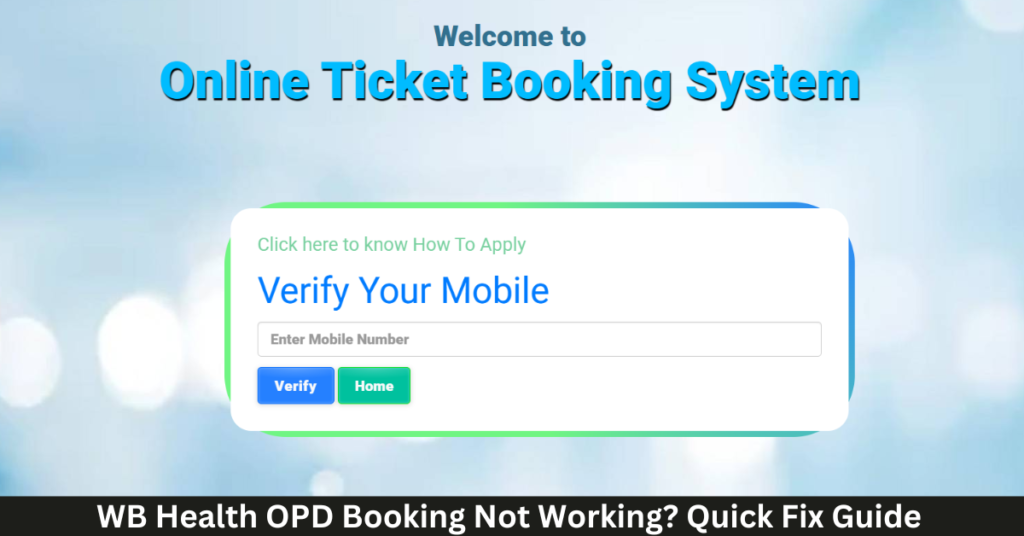
If you are new to the system, you can also read our complete guide on WB Health OPD Ticket Booking Online, which explains the full registration and appointment process step-by-step.
Why WB Health OPD Booking May Not Work
The WB Health OPD booking portal handles thousands of appointment requests daily. Because of high demand and technical verification steps, users may sometimes experience temporary problems while booking appointments.
Common reasons include:
- Heavy traffic on the portal
- Slow internet connection
- OTP verification delays
- Appointment slots already filled
- Browser compatibility issues
Most of these problems are temporary and can be solved with a few simple steps.
Common WB Health OPD Booking Errors and Fixes
Below are some of the most frequently reported problems and their quick solutions.
| Problem | Quick Fix |
|---|---|
| Portal not loading | Refresh the page or try again after a few minutes |
| OTP not received | Check network signal and request OTP again |
| Appointment slots not available | Try booking early in the morning |
| Session expired | Restart the booking process |
| Unable to download OPD ticket | Login again and download from appointment history |
These fixes resolve most booking issues faced by patients.
Portal Not Loading or Showing Error
Sometimes users find that the OPD booking website does not load properly or shows an error page.
This usually happens because of:
- High user traffic on the website
- Temporary server maintenance
- Slow internet connection
How to Fix It
Try the following steps:
- Refresh the page after a few minutes
- Use Google Chrome or another updated browser
- Clear browser cache
- Check your internet connection
Most website errors disappear after refreshing the page or trying again later.
OTP Verification Not Working
OTP verification is required when registering or logging into the onlinehmis.wbhealth.gov.in portal. If the OTP is not received, the booking process cannot continue.
Possible Causes
- Weak mobile network signal
- Delay in SMS delivery
- Incorrect mobile number entered
Quick Solution
- Wait for one minute before requesting a new OTP
- Ensure the mobile number entered is correct
- Check whether the phone has a stable network signal
Usually the OTP arrives within a few seconds after requesting it again.
Appointment Slots Not Available
Many patients report that appointment slots are not available when they try to book.
This usually happens in hospitals that receive high patient traffic, such as:
- NRS Medical College & Hospital
- RG Kar Medical College & Hospital
- Kolkata Medical College & Hospital
In such cases, patients should try booking earlier in the day.
Best Solution
- Try booking between 6 AM and 9 AM
- Select another date if the current day is full
- Choose another nearby hospital if possible
For more detailed hospital-specific booking information, you can read our guides:
- NRS Hospital OPD Ticket Booking Online
- RG Kar Medical College OPD Appointment Guide
- Kolkata Medical College OPD Ticket Booking Guide
These articles explain the booking process and department availability for each hospital.
Session Expired During Booking
Sometimes the booking session may expire before the process is completed.
This usually happens if:
- The form is left open for a long time
- The internet connection becomes unstable
How to Fix It
Restart the booking process and complete the form quickly without refreshing the page.
Unable to Download OPD Appointment Slip
After booking an appointment, patients must download their OPD appointment slip. If the download fails, it may be due to browser settings or internet issues.
Solution
- Login again using your mobile number
- Open the appointment history section
- Download the appointment slip again
Always keep a digital or printed copy of the OPD ticket before visiting the hospital.
Tips to Avoid OPD Booking Errors
Patients can avoid many technical issues by following these simple precautions.
| Tip | Benefit |
|---|---|
| Use a stable internet connection | Prevent session errors |
| Book appointments early | Higher slot availability |
| Enter patient details carefully | Avoid booking rejection |
| Save appointment slip immediately | Prevent loss of confirmation |
| Keep mobile phone ready | Required for OTP verification |
These steps help ensure a smoother booking experience.
Official WB Health OPD Booking Websites
Patients should always book their hospital appointments through the official government portals.
| Service | Official Website |
|---|---|
| West Bengal Health Department | https://wbhealth.gov.in/ |
| Online OPD Booking Portal | https://onlinehmis.wbhealth.gov.in/ |
Using the official portals ensures that the appointment is securely registered in the hospital system.
Frequently Asked Questions
Why is the WB Health OPD website not working?
The website may temporarily slow down due to heavy traffic. Refresh the page or try again later.
What should I do if the OTP is not received?
Wait for a minute and request a new OTP. Ensure your mobile number has network signal.
Why are appointment slots not available?
Slots may be fully booked because of high patient demand at popular hospitals.
Can I book OPD appointment again if the session expires?
Yes. Simply restart the booking process and submit the form again.
Conclusion
The WB Health OPD online booking system has simplified hospital appointments for patients across West Bengal. However, temporary technical issues may sometimes occur due to high traffic or network problems.
By following the troubleshooting steps explained in this guide, patients can quickly resolve most booking issues and successfully schedule their hospital appointments.
Using the official WB Health portals ensures a secure booking process and helps patients receive timely medical consultation at government hospitals.
Pingback: How to Cancel WB Health OPD Appointment Online 2026 – Step-by-Step Guide - WB OPD Ticket
Pingback: How to Print WB OPD Ticket Again (Re-download Guide) - WB OPD Ticket
Pingback: WB Health OPD Registration Not Found 2026 – Fix Booking Not Showing Issue (Complete Guide) - WB OPD Ticket