
Booking an OPD ticket in West Bengal government hospitals has become simple with the online system. Still, many people face problems while using the portal, especially during OTP verification, hospital selection, or payment.
In this guide, you will understand the complete WB Health OPD ticket booking process in a clear and practical way. Each step is explained in easy language so that even first-time users can follow it without confusion.
Along with the process, we have also included common problems faced by real users and their solutions. This will help you avoid mistakes and complete your OPD booking quickly without errors.
What is WB Health OPD Online Booking System?
The WB Health OPD Online Booking System is an official digital service started by the Department of Health & Family Welfare, Government of West Bengal. It allows patients to book OPD appointments in government hospitals online, without standing in long queues.
Through this online OPD ticket booking system, patients can easily select their preferred hospital, choose the required department, pick a suitable date and time slot, and generate their OPD ticket instantly. This helps save time, reduces crowd at hospital counters, and makes the entire process smooth and organized.
This system is especially useful for patients visiting major hospitals like SSKM, NRS, and other government medical colleges and district hospitals across West Bengal.
Key Details of WB OPD Ticket Booking 2026
| Category | Details |
|---|---|
| Portal Name | WB Health OPD Booking |
| Managed By | Health Department, West Bengal |
| Booking Mode | Online |
| Charges | Free |
| Hospitals Covered | SSKM, NRS, Medical Colleges, District Hospitals |
| Purpose | Reduce crowd and simplify OPD access |
How to Book WB Health OPD Ticket Online 2026 – Complete Step-by-Step Guide
Booking an OPD ticket through the West Bengal health portal is simple, but many users face small issues during the process. Follow this detailed step-by-step guide carefully to complete your booking without errors.
Step 1: Visit the Official WB Health Portal
Open your browser and go to the official websites:
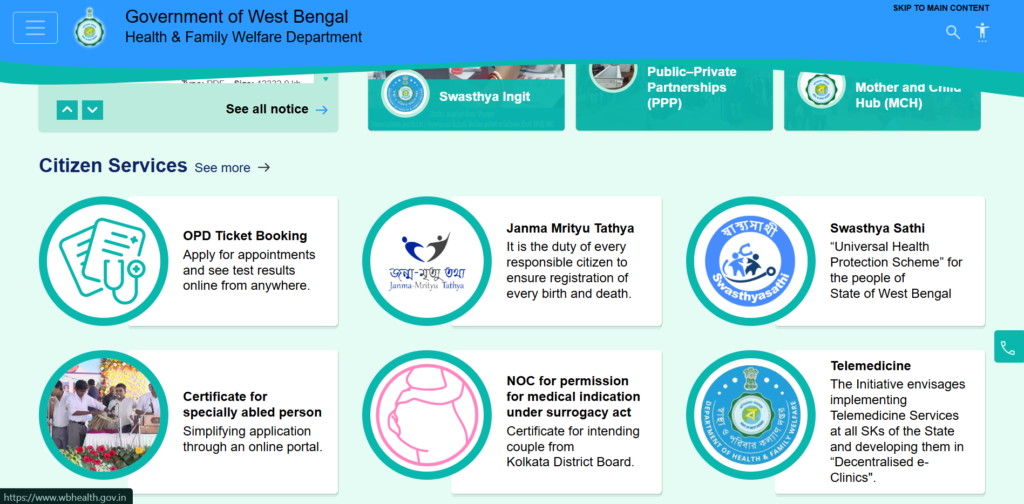
Always make sure you are using the official portal managed by the Department of Health & Family Welfare, Government of West Bengal to avoid fake websites or errors.
👉 Tip: Use Google Chrome or a stable browser for better performance.
Step 2: Click on “OPD Ticket Booking”
On the homepage:
- Look for the “E-Governance” or “Online Services” section
- Click on “OPD Ticket Booking”
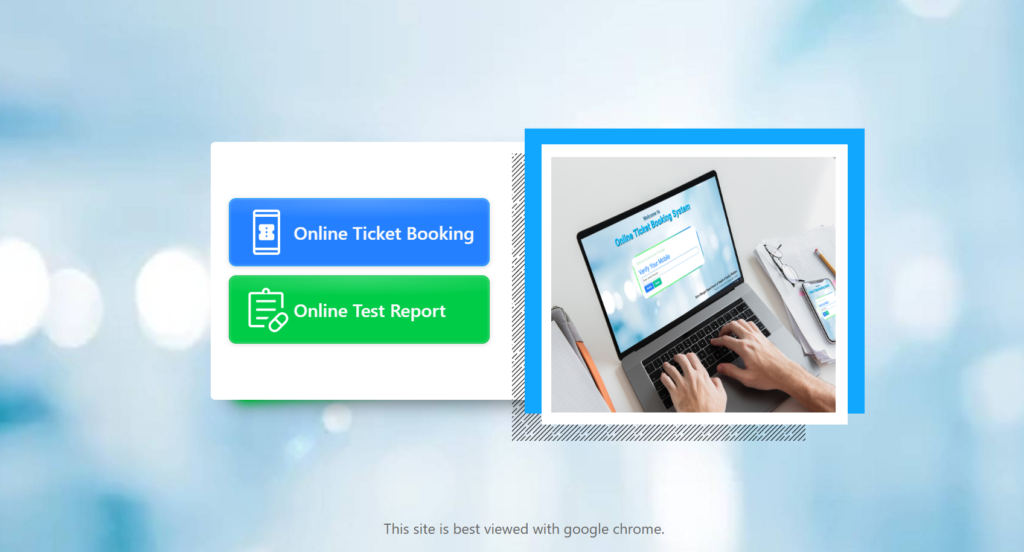
This will redirect you to the OPD appointment page.
👉 If the page takes time to load, wait instead of refreshing multiple times.
Step 3: Enter Mobile Number & Verify OTP
- Enter your active mobile number
- Click on “Generate OTP”
- Enter the OTP received on your phone
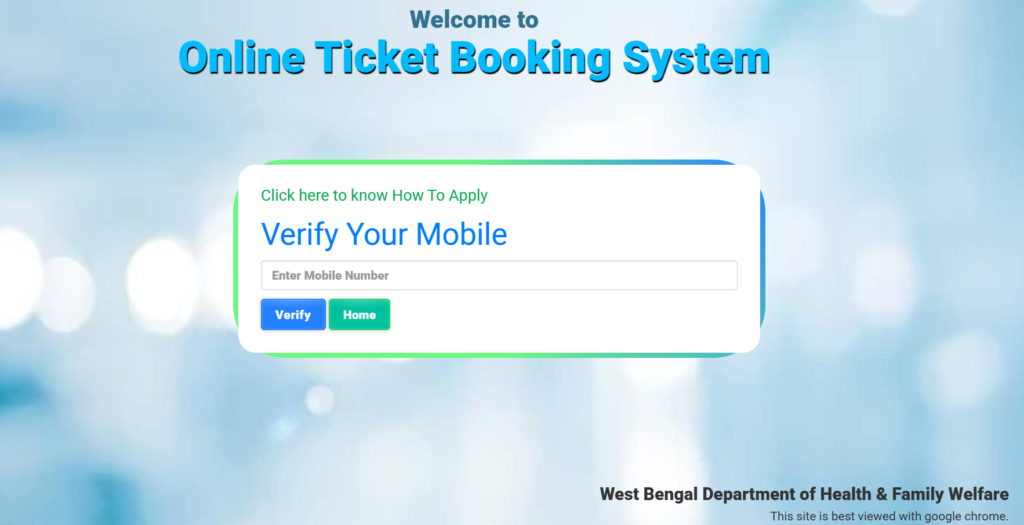
👉 Important:
- OTP may take 30–60 seconds during peak hours
- Avoid clicking “Resend OTP” multiple times
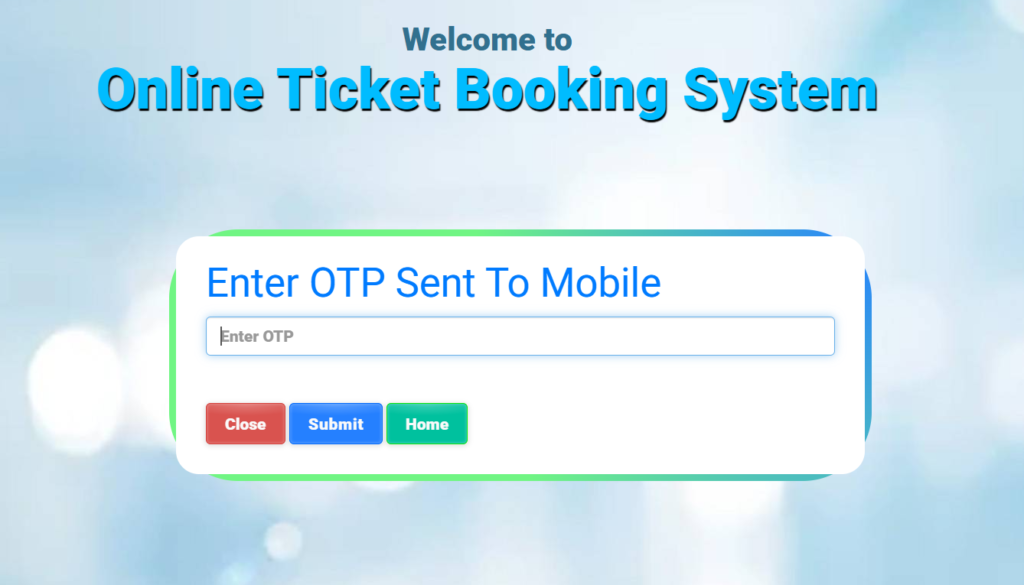
Step 4: Fill Patient Registration Details Carefully
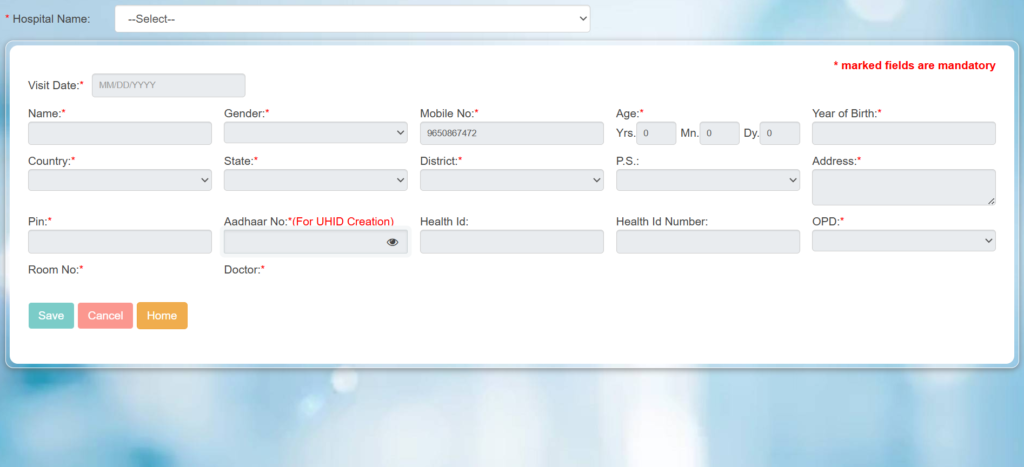
After OTP verification, you will see the OPD registration form.
Fill in all required details correctly:
- Patient Name
- Age and Gender
- Mobile Number
- Address (if required)
Now select:
- Hospital (SSKM, NRS, PG Hospital, etc.)
- Department (General Medicine, ENT, Orthopedics, etc.)
👉 Important Tip:
Choosing the correct department is very important to avoid rejection or delay at hospital.
Step 5: Select Appointment Date and Time Slot
- Choose available date from calendar
- Select a suitable time slot
👉 Real Insight:
- Morning slots fill very fast
- Afternoon slots usually have better availability
Step 6: Review Details and Confirm Booking
Before submitting:
- Recheck patient name and mobile number
- Confirm hospital and department selection
- Verify appointment date and time
Click on “Submit” to confirm your booking.
👉 Do not refresh the page during this step.
Step 7: Download WB OPD Appointment Slip
Once booking is successful:
- Your OPD ticket will be generated
- Download or take screenshot of the slip
👉 This slip contains:
- Patient details
- Hospital name
- Department
- Appointment date
Step 8: Visit Hospital with Required Documents
On the appointment day:
- Carry your OPD ticket (printed or digital)
- Bring a valid ID proof (Aadhaar, Voter ID, etc.)
- Reach hospital at least 30 minutes before your slot
👉 This helps avoid delays and ensures smooth entry.
You may need to show this ticket at the hospital during your visit.
This complete WB Health OPD online booking process helps patients avoid long queues and ensures a smooth hospital visit. By following these steps, you can easily book your OPD appointment online without confusion.
Real User Experience During WB Health OPD Booking
Many users booking OPD tickets on the WB Health portal face common issues, especially during peak hours. Understanding these real user experiences can help you avoid mistakes and complete your online OPD booking smoothly.
- The website may become slow in the morning when OPD booking opens
- OTP verification can take time due to heavy server load
- Pages may refresh automatically, causing session loss
- Payment or booking confirmation may take longer than expected
Because of these issues, it is important to stay patient and avoid refreshing the page multiple times during the booking process.
Common Problems in WB OPD Booking and Their Solutions
| Problem | Solution |
|---|---|
| OTP not received during booking | Wait for 1–2 minutes and try again with the same mobile number. Avoid multiple OTP requests. |
| Payment failed but amount deducted | Check booking status before retrying. Usually, the amount gets refunded automatically. |
| WB Health website not loading | Try booking in early morning or late evening when traffic is low. |
| Session expired during booking | Complete the process quickly and avoid staying inactive on the page. |
Important Tips for Faster WB Health OPD Ticket Booking
- Try booking before 9 AM to get better appointment slots
- Keep your mobile phone ready for OTP verification
- Do not refresh the page during payment or submission
- Use a stable internet connection for smooth booking
- Double-check patient details before final submission
OPD Traffic & Best Time to Book (User Insight)
Traffic on the WB Health OPD online booking portal changes throughout the day. Choosing the right time to book your OPD ticket can significantly increase your chances of getting a confirmed appointment without errors.
| Time Slot | Traffic Level |
|---|---|
| 7 AM – 9 AM | Very High |
| 9 AM – 11 AM | High |
| 11 AM – 2 PM | Medium |
| Evening (After 4 PM) | Low |
Read More: Best Time to Book West Bengal OPD Appointment (2026 Complete Guide)
Available Departments for WB Health OPD Booking
During WB Health OPD online booking, patients can select the appropriate department based on their medical needs. Choosing the correct department is important to avoid delays and ensure proper consultation.
Common departments available for OPD booking include:
- General Medicine
- Orthopedics
- ENT (Ear, Nose, and Throat)
- Gynecology
- Pediatrics
- Dermatology
- Ophthalmology
- Psychiatry
- Chest & TB Clinic
- General Surgery
👉 Selecting the right department during OPD ticket booking helps save time and avoids unnecessary re-visits.
Why WB Health OPD Online Booking System is Useful
The WB Health OPD online booking system makes hospital appointments faster and more convenient for patients. It reduces manual processes and improves the overall experience.
Key benefits of WB Health OPD online booking:
- Reduces long waiting lines at hospital counters
- Saves time and effort for patients
- Helps manage patient crowd efficiently
- Makes OPD ticket booking quick and simple
- Improves hospital workflow and service delivery